
User guide / Settings / Data Sources
Data Sources
This is where you connect the platforms you sell on, so the app can pull in your sales for you. It is usually your very first stop.
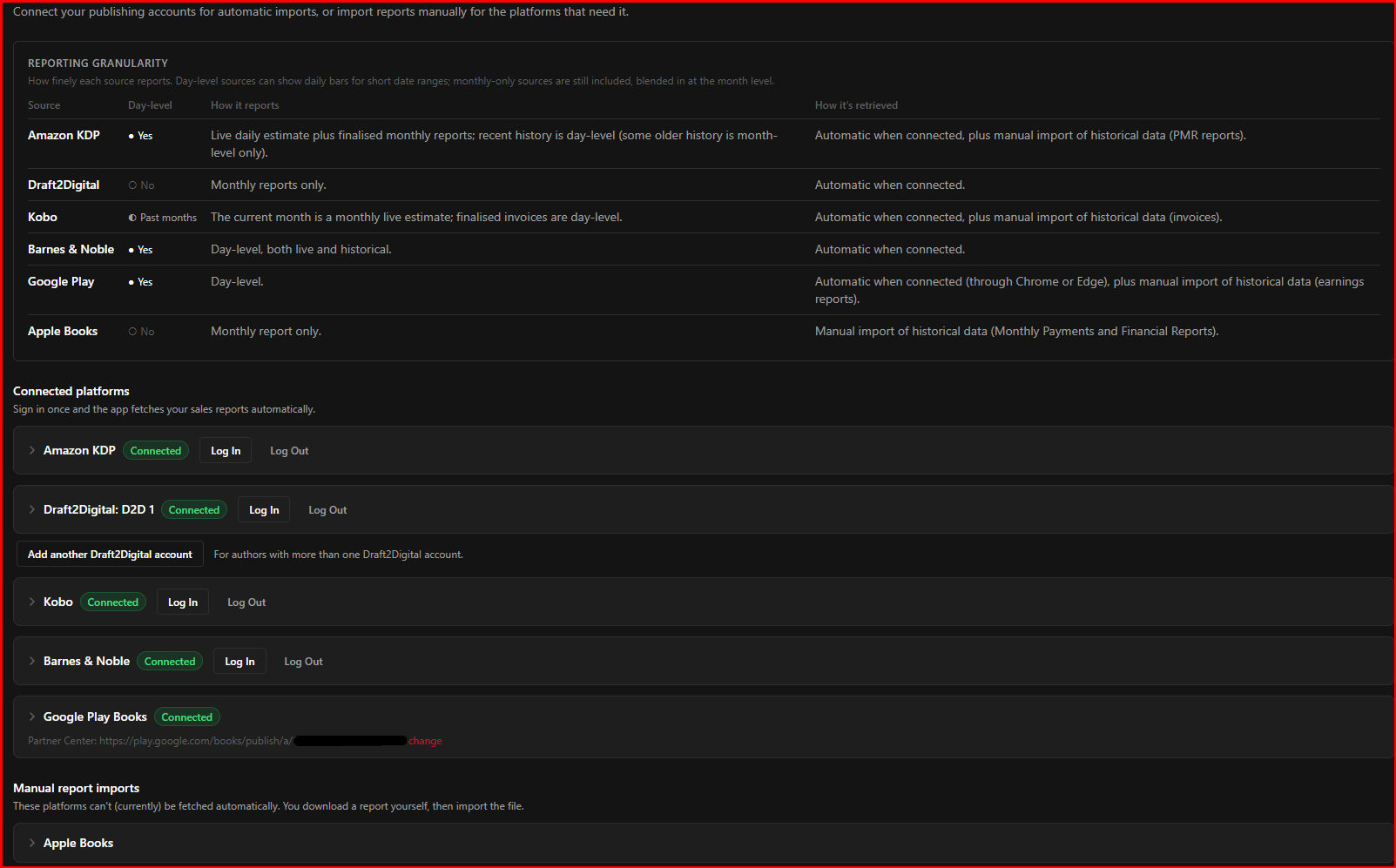
Two ways a source connects
Every platform falls into one of two groups, depending on what that platform allows and how we were able to make the app work with it:
- Connect and fetch automatically. For Amazon KDP, Draft2Digital, Kobo, Barnes & Noble and Google Play, you connect once and the app downloads your reports for you from then until the platform logs you out. This may be days, weeks or months, each platform is a little different. Most of them sign you in inside the app; Google Play connects through your own Chrome or Edge browser instead.
- Download in your browser, then import. Apple Books is not fully integrated with the app, so you download the report in your own browser, where you are already signed in, and import the file into the app.
The local import folder
For the browser-assisted sources, and for any report you download by hand, the app uses a local import folder on your computer. Set it once in App Settings, save your reports there, and press Scan Now to import anything new. One scan picks up every source’s files at once.
A page for each platform
Each source works a little differently. Open the one you use for step-by-step detail:
Staying connected
For the automatic sources, if a store signs you out over time, the app flags it here so you can reconnect in a click. A small badge on the Data Sources tab tells you when something needs your attention.
Your sign-ins and your data stay on your own computer. Connecting a store lets the app read your reports on your device; nothing is sent to us.